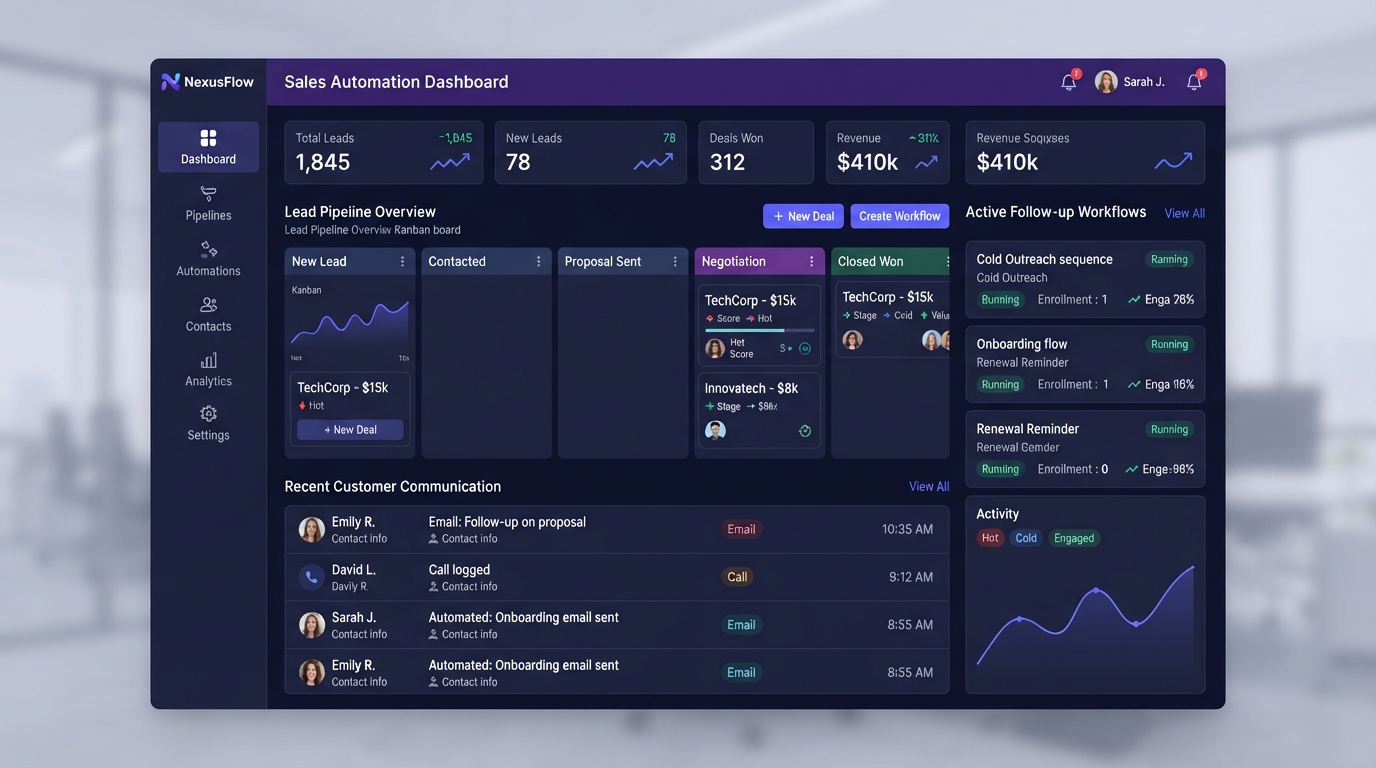
Every missed follow-up is a lost opportunity. In this guide, we explain how CRM automation ensures no lead falls through the cracks — from instant follow-ups to automated pipeline management that keeps your sales team focused on closing deals.
What Is CRM Automation?
CRM automation is the practice of using software to automatically handle repetitive customer relationship management tasks — sending follow-up emails, updating contact records, moving deals through pipeline stages, and triggering reminders. Instead of relying on your team to remember every action, the system handles it for you.
According to Salesforce's State of Sales report, high-performing sales teams are 1.5x more likely to use automation tools than underperforming ones. The data is clear: automation directly correlates with better sales outcomes.
Why Leads Fall Through the Cracks
Most businesses don't lose leads because their product is bad. They lose them because of slow or inconsistent follow-up. Here are the most common reasons leads slip away:
- Slow response times: Studies show that responding to a lead within 5 minutes makes them 21x more likely to convert. Without automation, most teams take hours or even days.
- Manual data entry: When your team spends time typing contact details into a CRM, they're not selling. Manual entry also leads to errors and incomplete records.
- No follow-up sequence: If a lead doesn't respond to the first email, many businesses simply give up. Automated sequences ensure multiple touchpoints over time.
- Disorganized pipelines: Without automated stage transitions, deals get stuck in limbo and no one notices until it's too late.
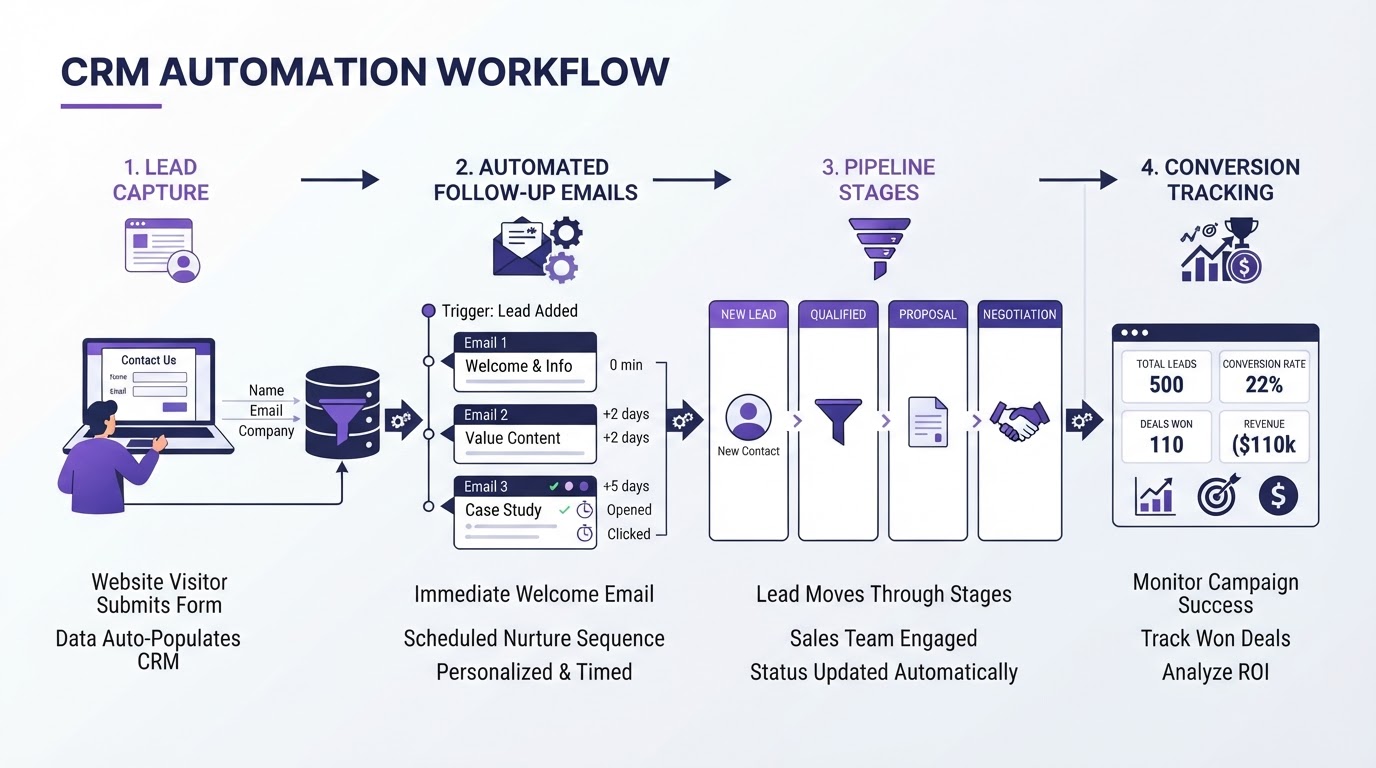
CRM automation connects lead capture, follow-ups, and pipeline management into one seamless system.
Automated Follow-Ups That Never Miss
The single biggest win from CRM automation is reliable follow-up. When a new lead enters your system, automation can instantly:
1. Send an Instant Welcome Email
The moment a lead fills out a form or books a call, they receive a personalized email acknowledging their inquiry. This sets the tone and keeps your brand top-of-mind. Our AI automation services can help you build these instant-response systems.
2. Trigger a Multi-Step Sequence
Instead of a single email, automation enables a sequence: a welcome email on day one, a value-driven follow-up on day two, a case study on day four, and a check-in on day seven. Each email is tailored to the lead's behavior and interests.
3. Send SMS Reminders
Email open rates average 20%, but SMS open rates exceed 98%. Automated SMS reminders for appointments, deadlines, or special offers dramatically improve engagement. Explore our appointment setting services to automate your booking reminders.
4. Assign Tasks to Your Team
When a lead reaches a certain score or stage, automation can automatically assign a task to the right sales rep, ensuring high-priority leads get immediate attention.
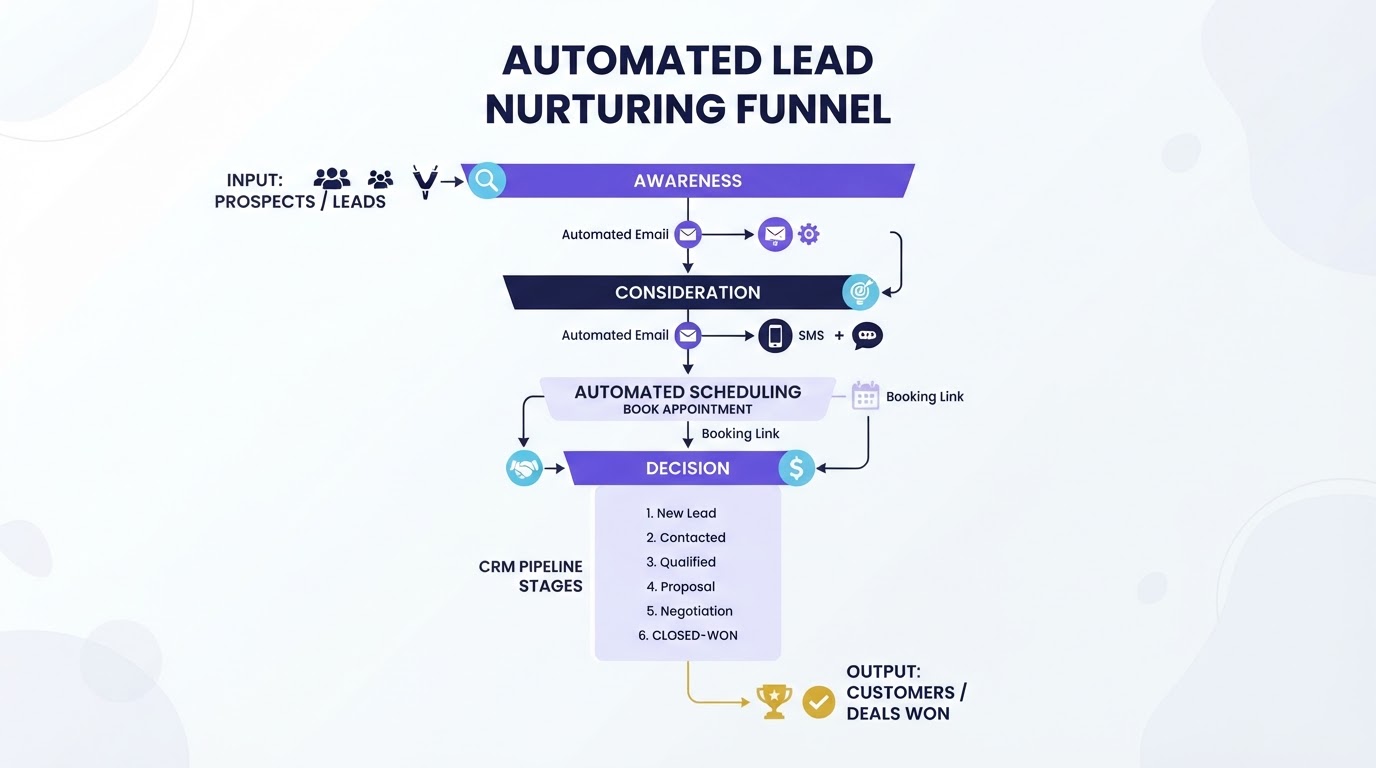
A well-designed automated nurturing funnel keeps leads engaged across multiple channels.
Pipeline Automation for Consistent Growth
Beyond follow-ups, CRM automation transforms how you manage your sales pipeline. Here's what becomes possible:
Automatic Stage Transitions
When a lead books a meeting, they automatically move from "New Lead" to "Qualified." When they receive a proposal, they move to "Negotiation." No manual dragging and dropping required.
Lead Scoring
Automation can assign scores based on engagement — email opens, website visits, form submissions. High-score leads get flagged for immediate follow-up while low-score leads enter a long-term nurture sequence.
Automated Reporting
Instead of manually pulling reports each week, CRM automation can generate and email performance dashboards automatically. This gives you real-time visibility into your pipeline without the manual effort. Our API integration experts can connect your CRM with reporting tools for live analytics.
Measuring and Optimizing Results
CRM automation is only effective if you measure its impact. Here are the key metrics to track:
- Response time: How quickly does a lead receive their first follow-up? Aim for under 5 minutes.
- Follow-up rate: What percentage of leads receive at least 3 touchpoints? This should be close to 100% with automation.
- Conversion rate by stage: Where do leads drop off in your pipeline? Automation can help identify and fix bottlenecks.
- Revenue per lead: Are automated sequences generating more revenue per lead compared to manual processes?
Regularly review these metrics and adjust your workflows. If a particular email in your sequence has a low open rate, test a new subject line. If leads stall at a certain pipeline stage, add an automated touchpoint to push them forward. Our SEO and analytics team can help you set up conversion tracking and data-driven optimization.
Tired of losing leads to slow follow-ups?
CoreUptech builds custom CRM automation systems that ensure every lead gets an instant response, a multi-step follow-up sequence, and automatic pipeline management — so you never miss an opportunity again.
Book a Free Strategy CallFrequently Asked Questions
What CRM platforms support automation?
Most modern CRM platforms — including GoHighLevel, HubSpot, Salesforce, and Zoho — offer built-in automation features. The best platform depends on your business size, budget, and specific workflow needs.
How long does it take to set up CRM automation?
Basic automation (welcome emails and follow-up sequences) can be set up in 1–2 days. More complex systems with lead scoring, pipeline automation, and multi-channel sequences typically take 1–2 weeks to fully configure and test.
Will CRM automation work with my existing tools?
Yes. Most CRM platforms integrate with popular tools like email marketing software, calendar apps, and payment processors. For custom integrations, tools like Zapier, Make, and n8n can connect virtually any app to your CRM.
How much does CRM automation cost?
CRM platform subscriptions typically range from $30–$300/month depending on features and team size. Custom automation setup services usually range from $500–$3,000 depending on the complexity of your workflows.
Can I automate follow-ups without sounding robotic?
Absolutely. Modern CRM automation supports personalization tokens, conditional logic, and behavior-triggered content. This means each follow-up feels tailored to the individual lead, not like a generic blast.